
KeepGlide
Your collection, in sync. 🪁
Files kept in step, notes connected through wikilinks, documents ready to read. All in an app that runs on your own computer.
See it in action
Short clips recorded in the real app, with a small demo vault.
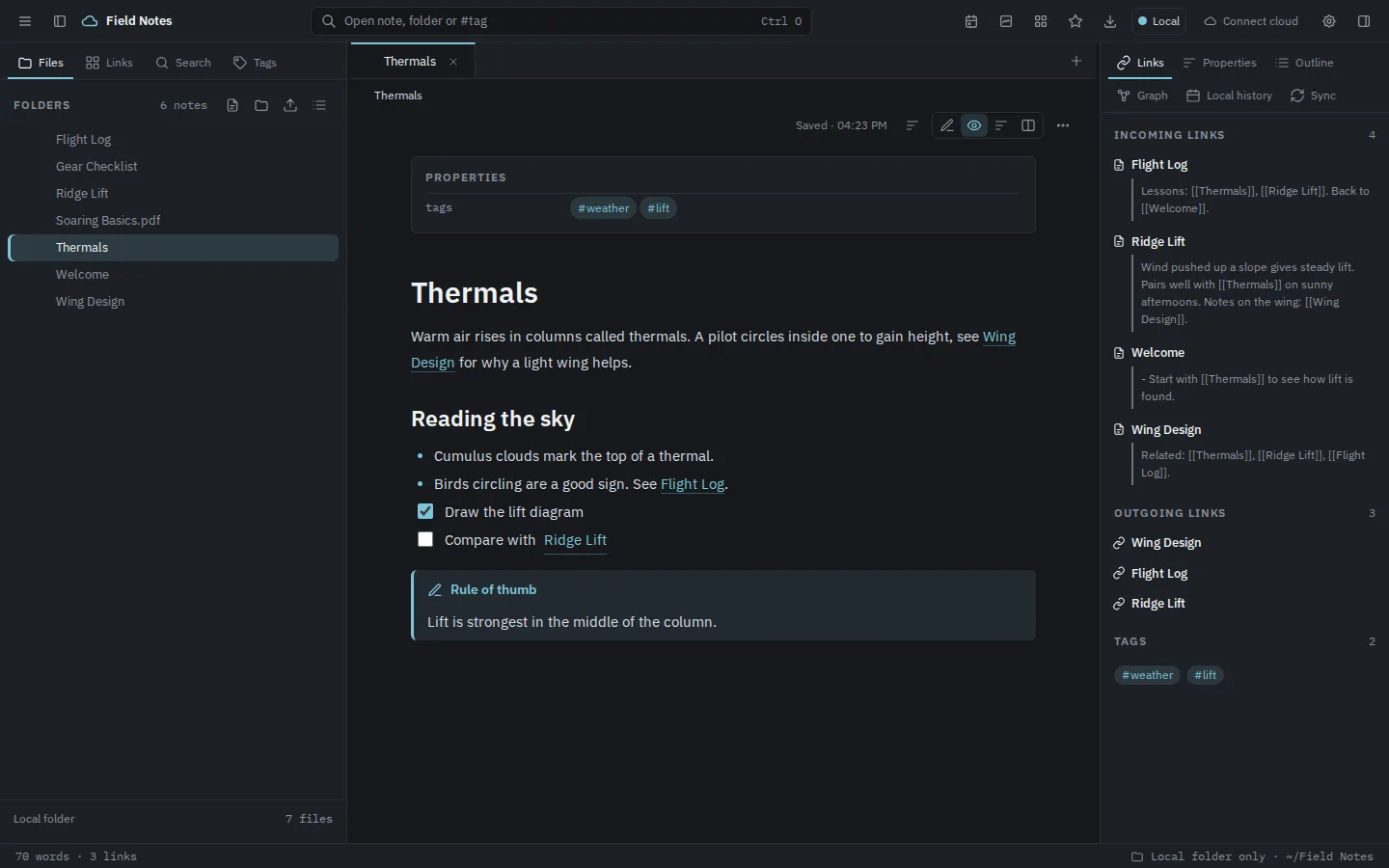
📝 Open a note, follow the links
Jump between notes through wikilinks and see every incoming and outgoing link beside the text.
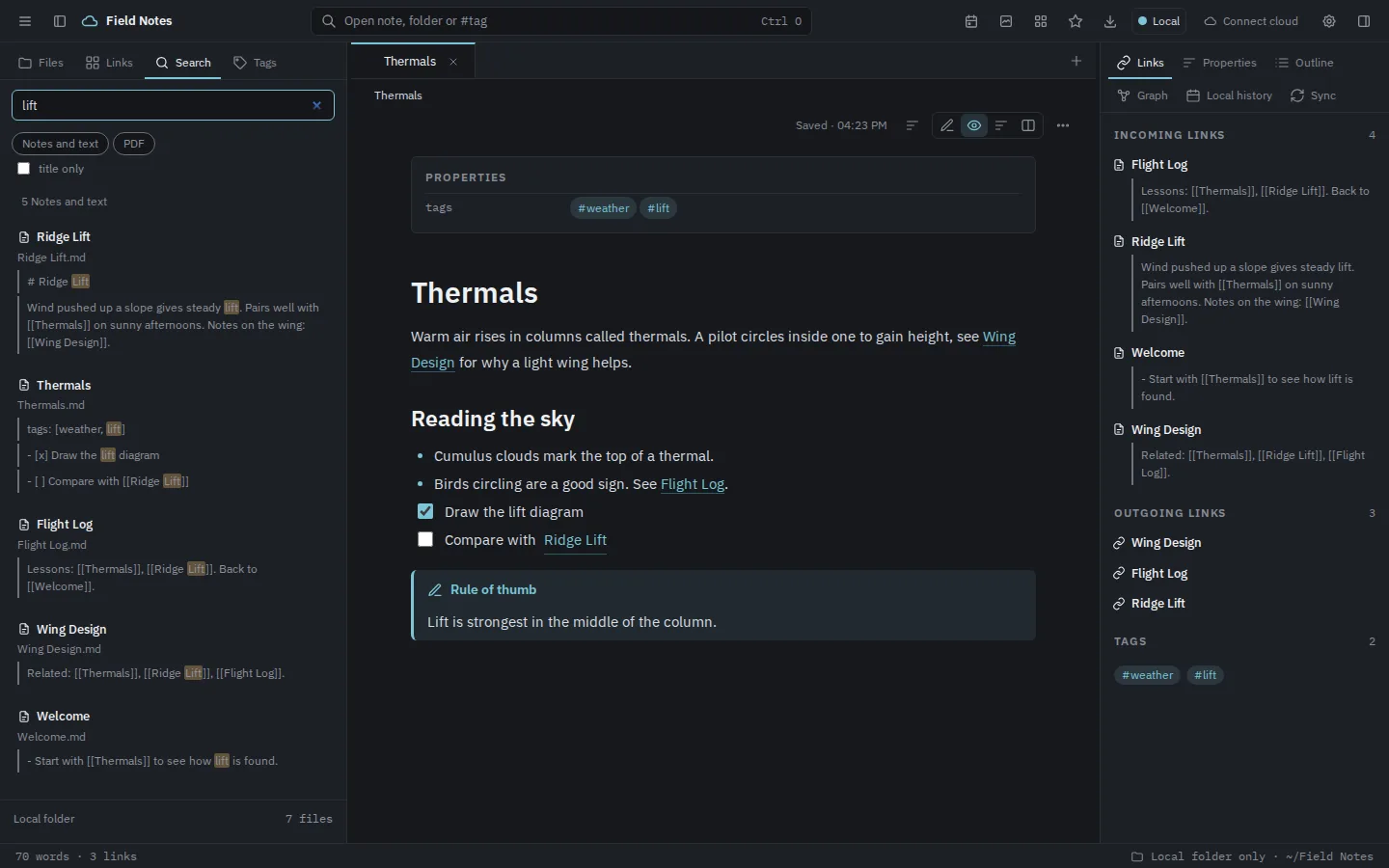
🔍 Search the whole vault
Type a word and get matching notes with the exact passages highlighted.
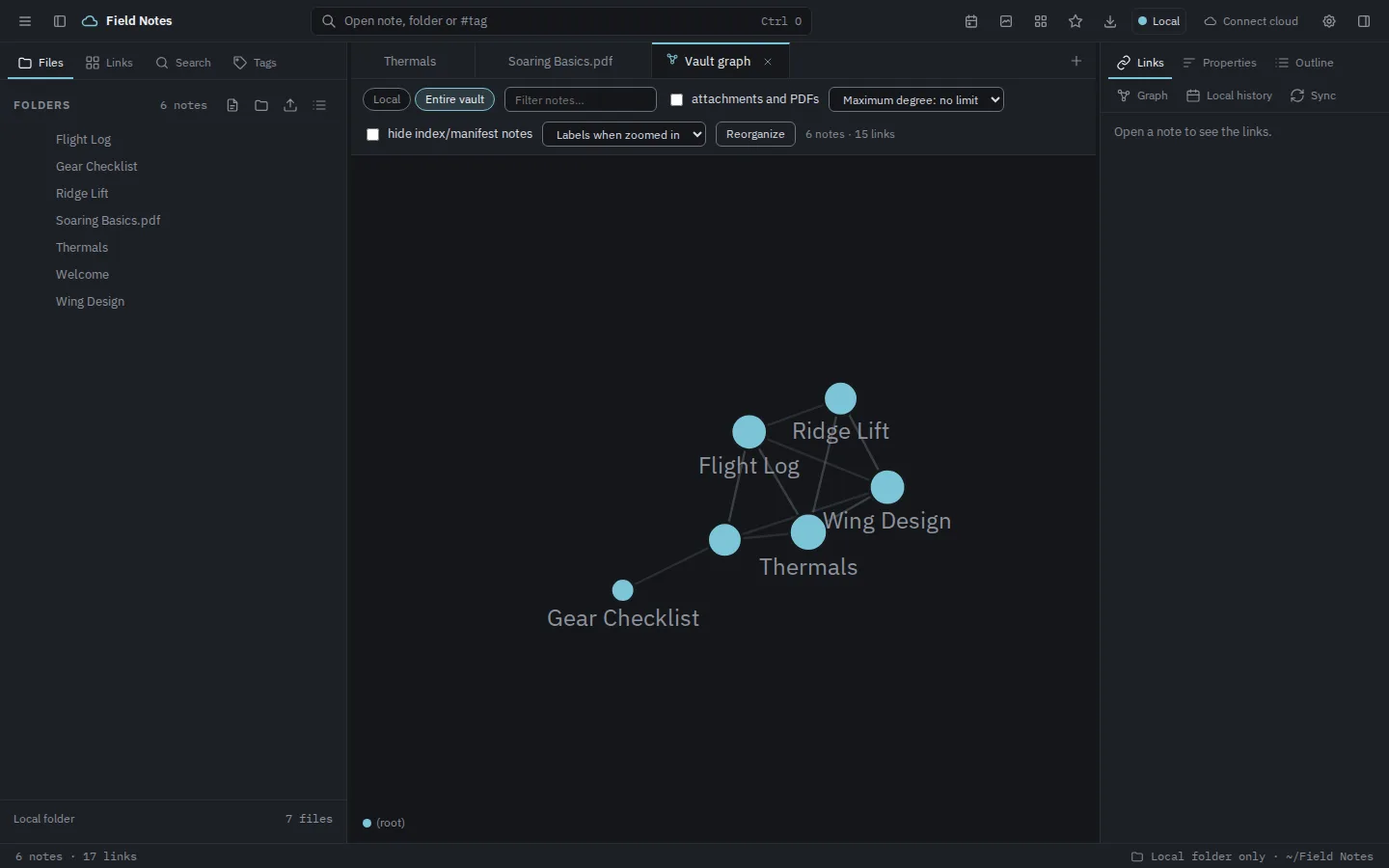
🕸️ Explore the connection graph
See how your notes link together and zoom into the clusters.
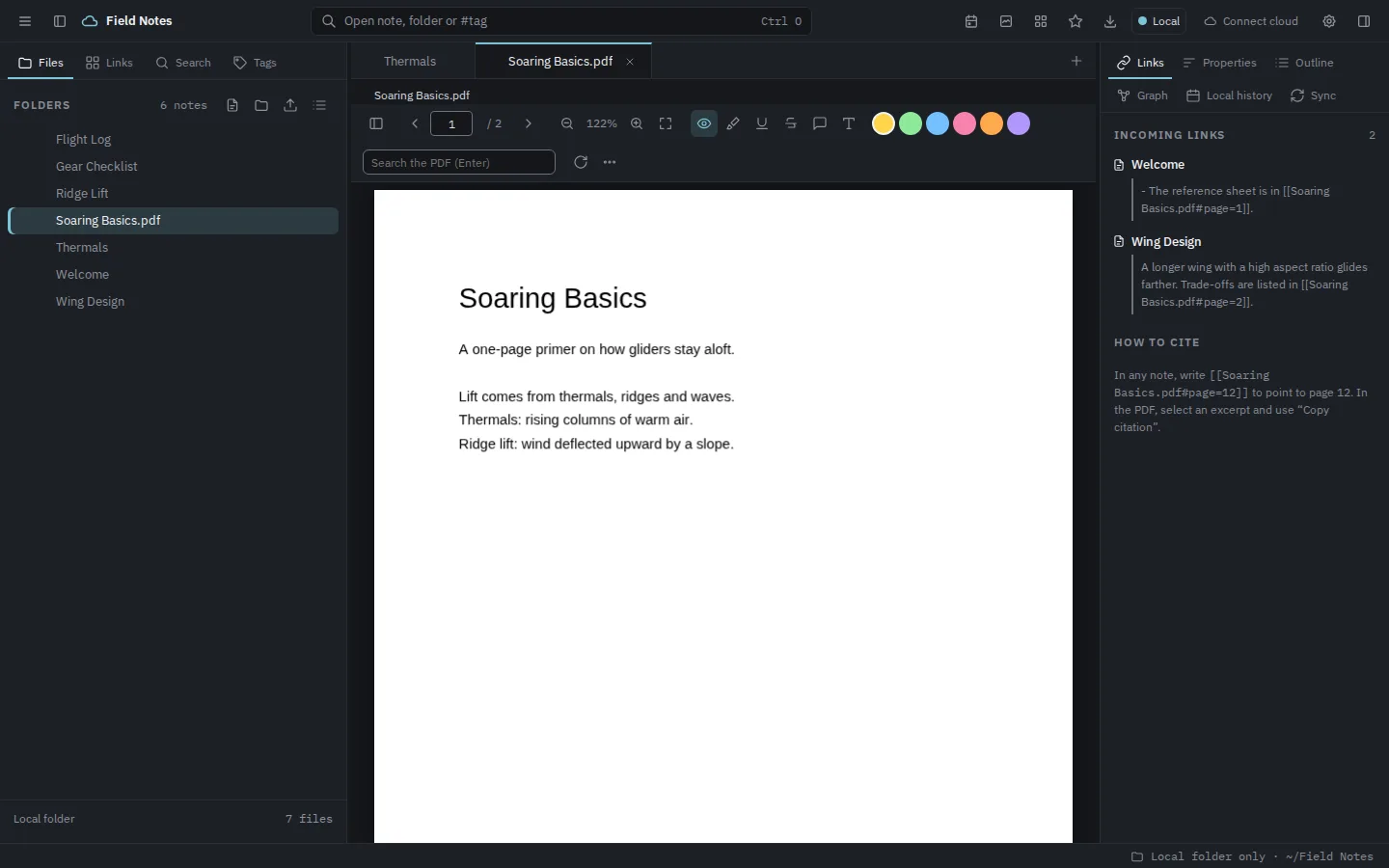
📄 Read a PDF
Open a PDF next to your notes, with highlights, annotations and page citations.
What you can do
Sync with the cloud
Keep a local folder and a cloud provider in step through a queue with upload and download tracking. When both sides change a file, both versions are preserved.
Work offline
Keep writing without a connection. Changes wait in the queue and go out once you are back online.
Wikilinks and a connection graph
Connect notes with
[[note name]], follow incoming links and explore how your collection hangs together as a graph.PDFs with page citations
Read, highlight and annotate PDFs, and cite them from your notes with links that open the exact source page.
Favorites
Pin the files and folders you return to into a thumbnail tab, with shortcuts to open them or jump to where they live.
Open formats, no lock-in
Markdown and PDF stay exactly what they are. Nothing is permanently deleted: removed files go to the cloud trash or a local
.trashfolder.
A closer look
Real screenshots of the app, shown with a demo vault.
Platforms
KeepGlide is a desktop app, built and tested on Linux and macOS. Windows is not covered yet.
Google Drive is the first supported cloud provider; more are planned.
Private by design
KeepGlide runs on your computer, in its own window. Local mode needs no account at all. You only sign in with a cloud provider if you choose to sync.
🪁 Ready for take-off soon
KeepGlide is about to launch. There is nothing to download or buy yet.
Get KeepGlide →